SeekFast is a tool for full-text search in mixed data repositories that has been offered since 2008, developed and distributed by the Bulgarian company Slaviana Soft Ltd. Over time, SeekFast has built a loyal user base and enjoys an overall good reputation.
Interface and Feature Set
SeekFast is offered exclusively with an English user interface. However, it's so simple and clearly structured that this is hardly a disadvantage in practical use. The interface's clarity also results from a significantly limited feature set.
SeekFast allows searching for multiple terms that either must all appear in the document or where at least one applies. Explicit logical operators with parentheses (as in Findit), as well as filtering by file size, creation/modification date or other file properties, are not available. Findit offers these options, but consequently has a more comprehensive (and at first glance potentially more complex) interface.

Test Setup
For this comparison, we use—as in the test with FileLocator/Agent Ransack—the same query and the same data set. The search is conducted in a journalist's office archive that has grown over more than 30 years.
Data Set:
D:\Archive (heterogeneous, historically grown, approx. 50,000 files)Search Query: files AND find
Comparison: SeekFast vs. Findit (additional Findit options shown separately)
Indexing / Cache: "Freedom from indexing" – in Practice
Before we could evaluate the actual search results, SeekFast exhibited surprising behavior. The vendor's homepage explicitly states:
"Freedom from indexing. A great advantage over other search software is that SeekFast does not use indexing."
Our observations show, however: When starting the first search in d:\Archive, SeekFast begins scanning these folders—this takes 12 minutes and 23 seconds. Only then can we start our actual search. This actually behaves like an indexer. And indeed: SeekFast creates a persistent, directory-based full-text cache that functionally equals an index. This is fully built during the first run, subsequently stored in the user profile under ..\AppData\Roaming, and remains permanently.
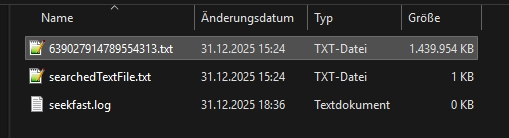
Initial Build: approx. 12 minutes
Cache/Index Size: approx. 1.4 GB
Behavior on Changes: no continuous updates; new files are only captured during a subsequent search
In practice, this approach is quite clever: As long as the data set doesn't change, SeekFast is very fast on subsequent runs because the cache is reused. If, for example, ~200 files are added, SeekFast needs about as much time to process them as Findit 6 needs for a complete live search of the entire archive (in our test approx. 23 seconds). Pure speed comparisons are therefore only of limited significance here.
Hit Quality in Mixed Archives
All the more important is the question of how well SeekFast can actually read and evaluate the very heterogeneous contents of our archive. Here, SeekFast falls significantly short in comparison.
Multi-Word Query: "files" AND "find"
SeekFast – Multi-Word Search
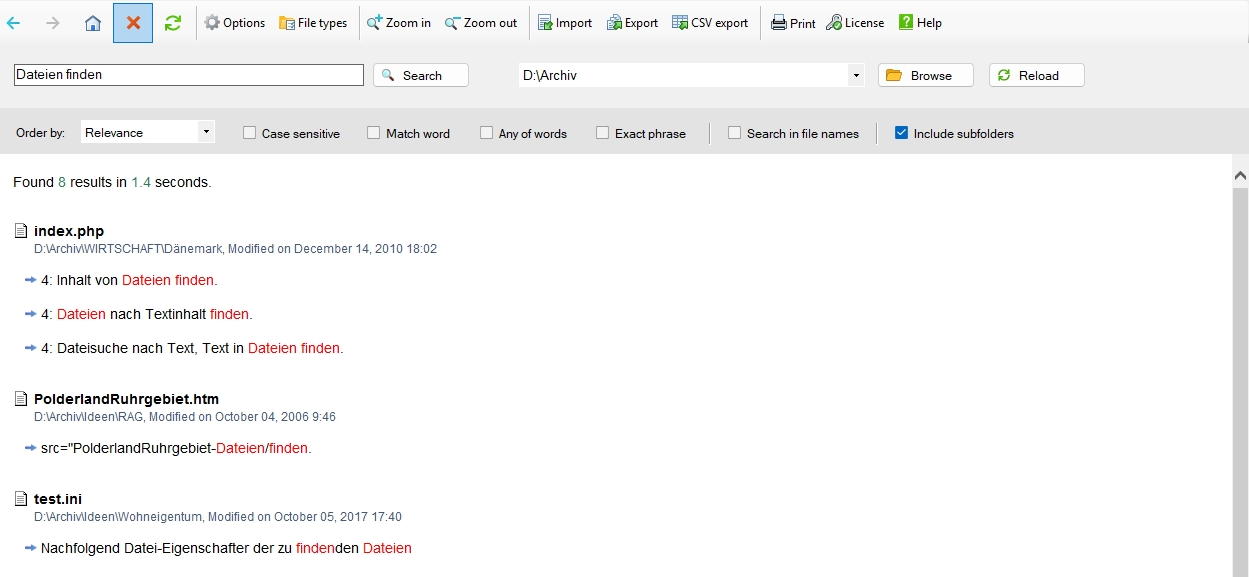
This is by far the weakest result compared to all other tested programs. Depending on the search configuration, comparison values for other search programs in this test field were significantly higher. FINDIT finds 172 hits when searching for word parts, even without considering email attachments or zipped archives and without OCR. When using all these additional functions of FINDIT, there are even 225 hits.
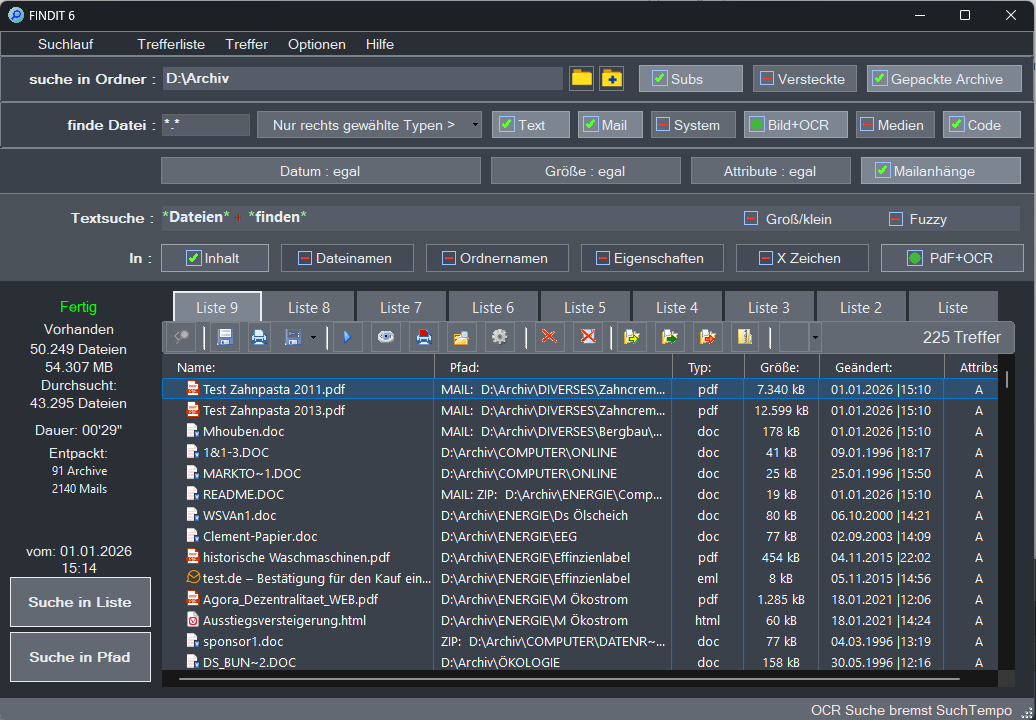
The fewer hits found in such a test, the more questionable the result becomes when it comes to actually finding the one, seven, or even 19 files with searched content in the data repository using much more specific search terms.
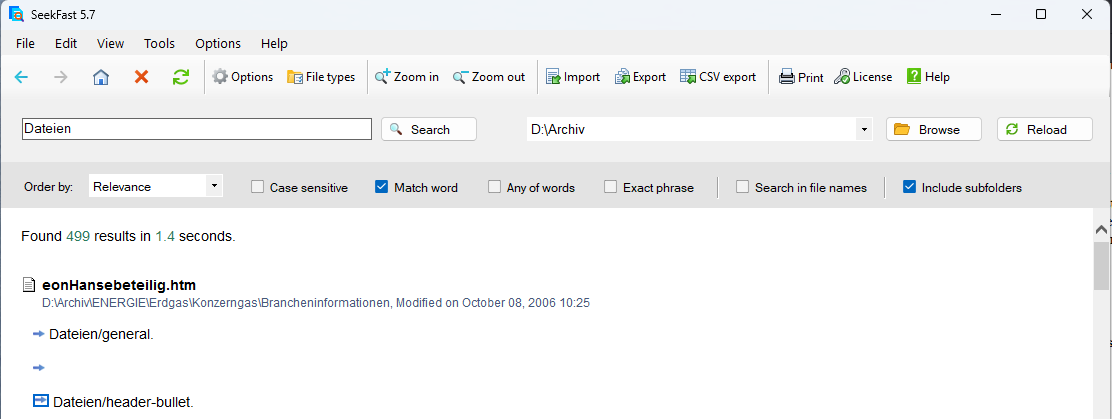
Control Test: Single Word Search "files"
Notably, SeekFast delivers significantly better (though still lower) values when searching for a single term:
| Search Term | SeekFast | Findit (w/o Email/ZIP) |
Findit (w/ Email/ZIP/OCR) |
|---|---|---|---|
| files | 499 | 674 | 855 |
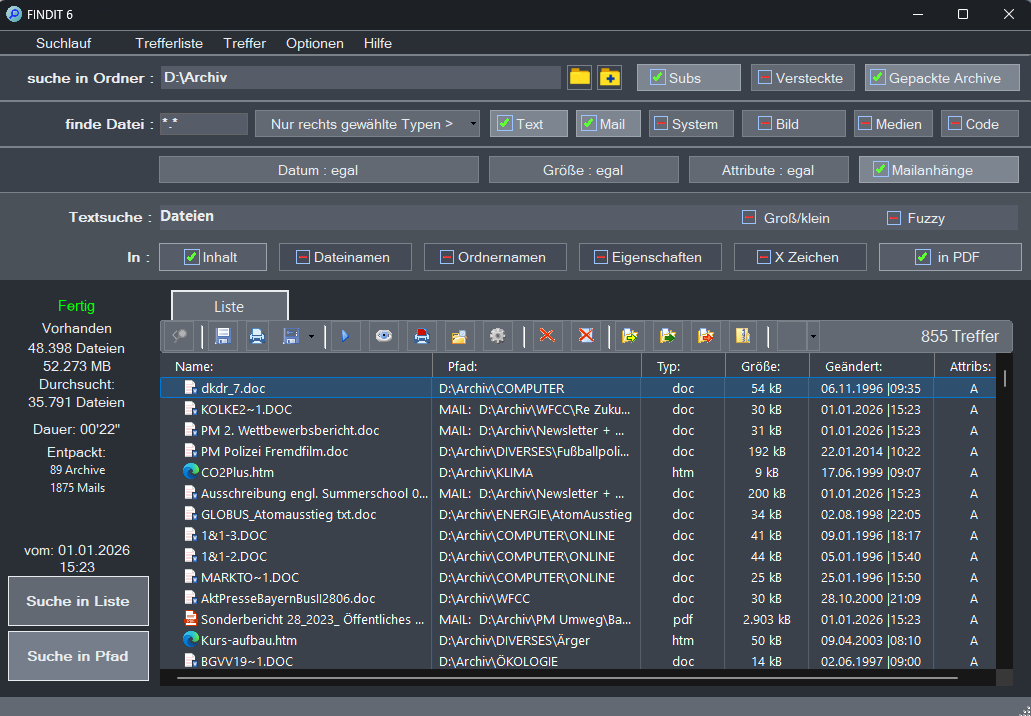
These results suggest that while SeekFast performs solidly (though incompletely) for single-word searches, it fails to consider a significant portion of relevant documents for multi-word queries in mixed, historically grown repositories.
Brief Conclusion
Strengths & Weaknesses
Strength: simple interface, fast with unchanged data (cache/index is reused)
Weakness: significantly limited feature set (no metadata filters, no parenthetical logic)
Notable in Test: Extremely low hit count for multi-word queries in a heterogeneous archive
Assessment
SeekFast positions itself as a simple, easy-to-use full-text search program. In a heterogeneous archive with many file types, however, what matters most is the quality of text extraction and reliability with multi-word queries. The test reveals clear limitations in these areas.