DocFetcher
DocFetcher is an open-source desktop search for files, developed by Tran Nam Quang, first released around 2006/2007. The program searches Microsoft Office documents, OpenDocument formats, PDFs, HTML files, and plain text files, and supports Unicode as well as nested archive formats like ZIP, 7z, RAR, or TAR.
DocFetcher has earned a very good reputation over many years and was long considered nearly unrivaled in the freeware sector. The free version remains available, but active development now occurs in the paid DocFetcher Pro version (from approx. $40).
In an initial test of the freeware version, we saw a similar pattern as in our previous comparisons: DocFetcher found significantly fewer matching files than Findit 6. However, since the author explicitly advertises that the Pro version is considerably more powerful in this regard, we purchased it to compare Findit 6 with the best possible version of DocFetcher.
Test Setup
As with all previous tests, we use a journalist's office archive that has grown over more than 30 years, with approximately 50,000 files and a total size of about 50 GB. It contains documents from many decades, various Office formats, PDFs, saved emails with attachments of various types, and some ZIP archives—in short: a real, heterogeneous archive from everyday work life.
Data Set:
D:\Archive (heterogeneous, historically grown, approx. 50,000 files)Search Query: files AND find
DocFetcher Version: DocFetcher Pro (paid, approx. $40)
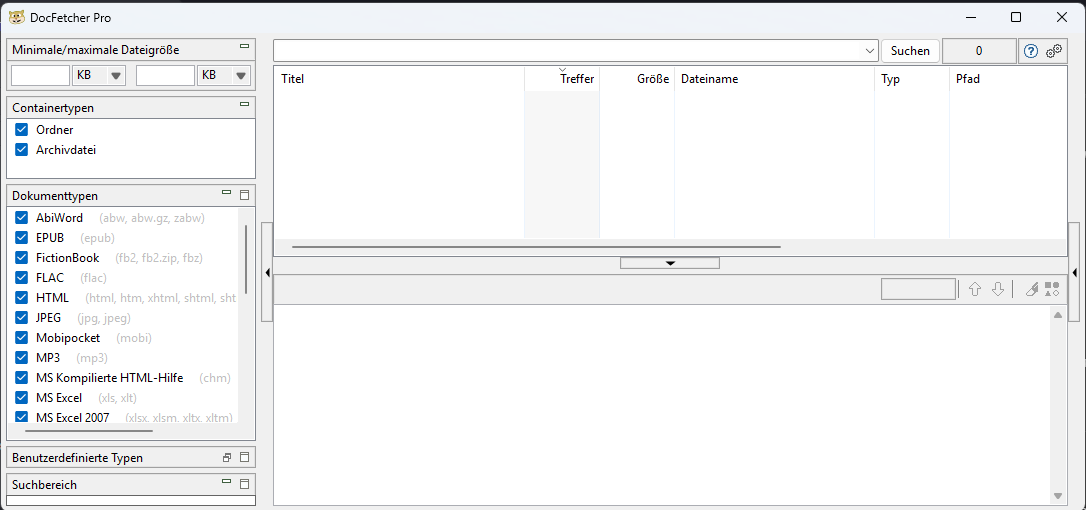
DocFetcher – First Index Run
After installation, DocFetcher presents itself with a very minimalist user interface that largely dispenses with classic menus. Core functions only become apparent upon closer inspection; a new index can only be created by clicking on "Search Scope."
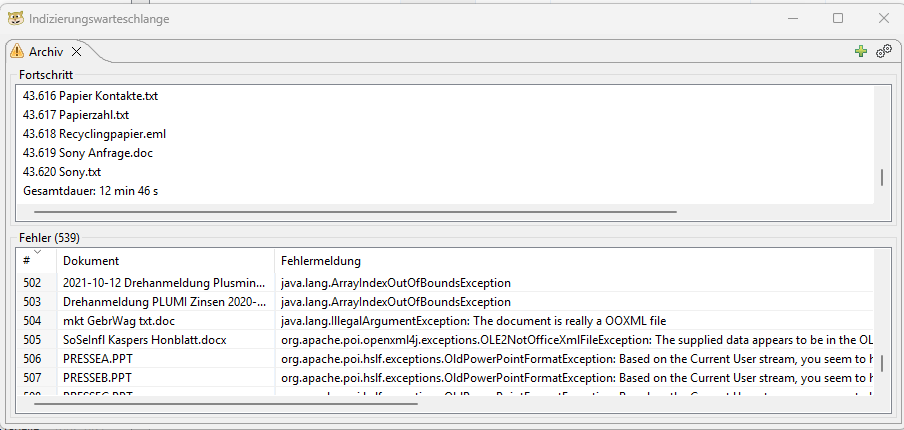
We first created an index with the default settings present after installation. After about 8 minutes, the indexing run was complete. However, DocFetcher reported only about 43,000 indexed files, even though the archive clearly contains more than 50,000 files—and even more when including email files and contents from ZIP archives.
Additionally, DocFetcher indicated 539 files whose content could not be read. The causes cited were predominantly very old Word formats as well as allegedly corrupted HTML, PDF, or XLS files. This represents about one percent of the total data set and initially seemed plausible to us.
However, initial search tests showed that DocFetcher consistently delivered fewer hits than Findit despite completing the index run. It was also notable that no .eml files (saved emails) were found at all.
It's known that DocFetcher—unlike Findit—cannot separately evaluate email attachments. However, that even the actual email files themselves were not considered was initially surprising.
Extended Index Configuration as Workaround
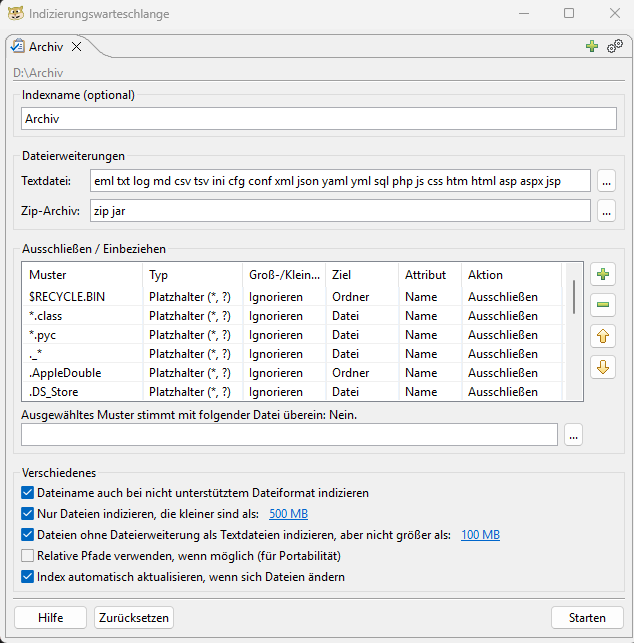
Further analysis revealed that DocFetcher only reliably evaluates content when the respective file format is fully supported. This is the case for many common document types, but not for some formats present in our archive—including .eml.
During initial index creation (and only at that moment), DocFetcher offers the option to define arbitrary file extensions as text files. Files with these extensions are then read and indexed as plain text without special format interpretation.
Since .eml files are technically stored text-based, this means: In addition to technical headers, senders, recipients, subject lines, and the actual email content are captured word by word. While this also indexes structured additional information, this poses no disadvantage for pure content findability.
To establish the fairest and most comparable conditions possible for our comparison, we used this option and explicitly configured all file extensions present in our archive that can sensibly be interpreted as text—including .eml—as text files. Subsequently, the index was completely recreated.
It was important to us not to evaluate DocFetcher with its default settings, but rather to show what results are possible under optimal yet realistically achievable conditions. At the same time, this demonstrates what effort is necessary to achieve the most complete content search possible in very heterogeneous archives.
The renewed index run took 12 minutes and 46 seconds and was thus still quite fast. However, neither the number of files reported as indexed (43,620) nor the number of reported errors (539) changed. Well, we couldn't do more than that.
Search with Disappointing Results
Given the effort involved, we were disappointed with the result: With our standard search for files containing both "files" and "find," DocFetcher found only 82 files. Positively, corresponding saved emails were now included. Nevertheless, numerous other file formats were missing.
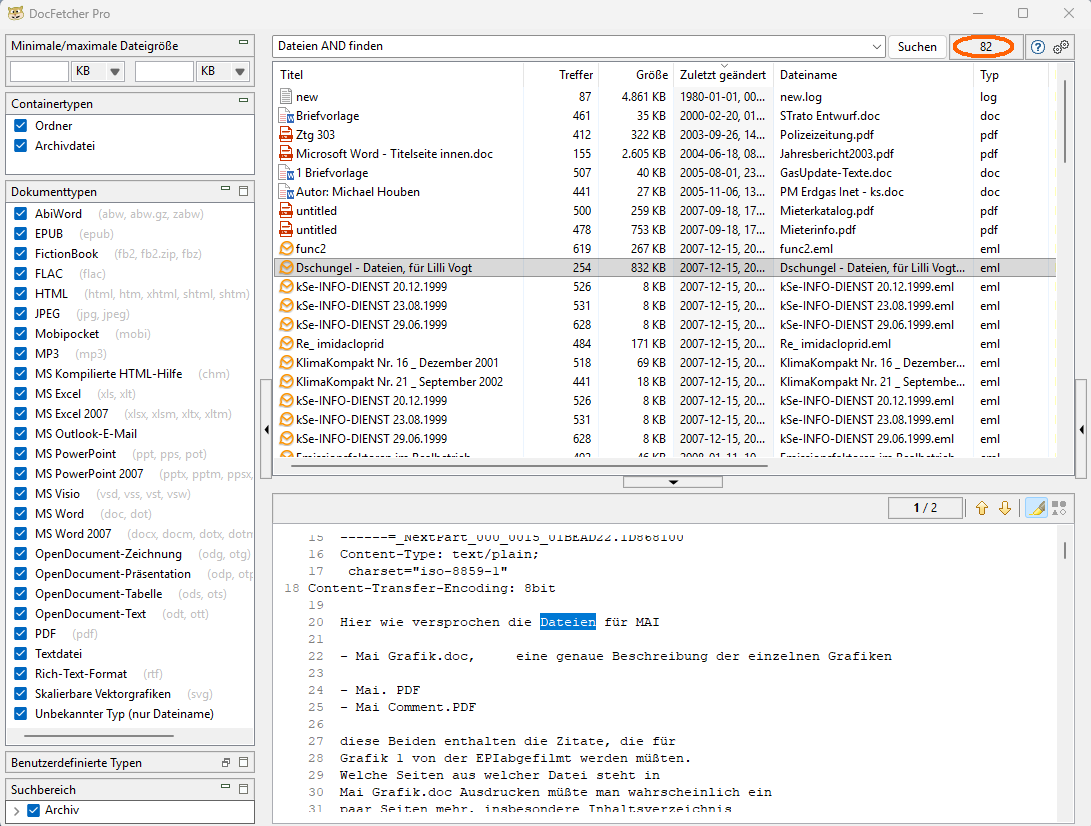
DocFetcher Pro – After Optimized Indexing
For example, only a single file created before the year 2000 was found, while various much newer documents—including some modern Office files—did not appear.
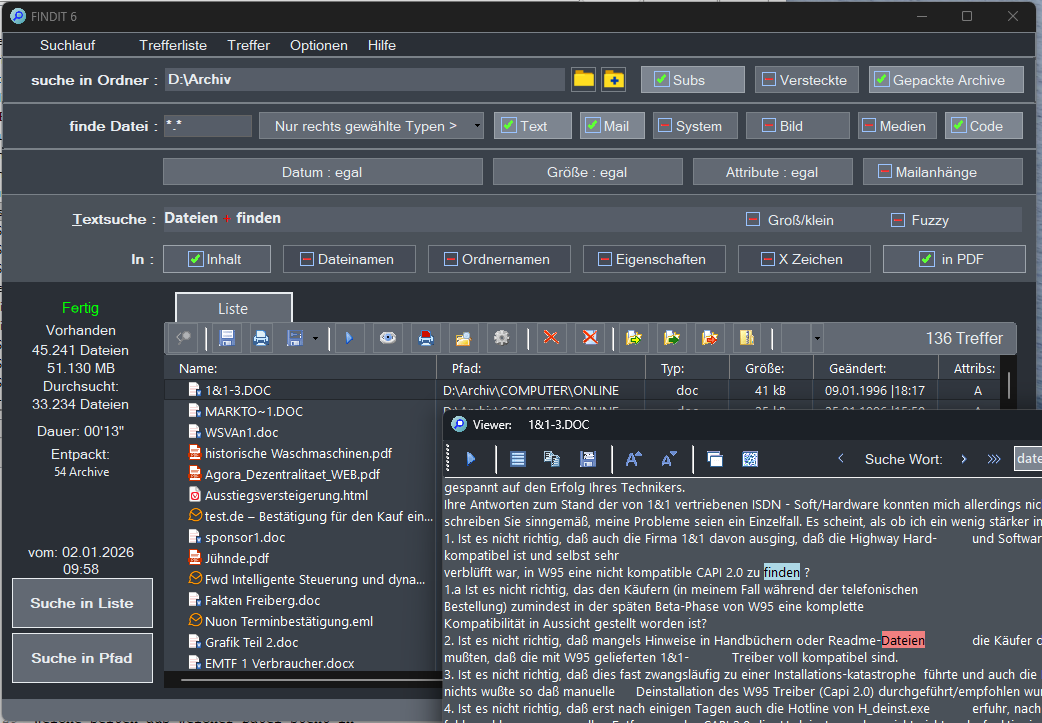
For comparison: We know that DocFetcher—unlike Findit—can neither search email attachments nor employ OCR. But even when these options are disabled in Findit, Findit finds 136 matching files in our data set (search duration: approx. 13 seconds). With all options enabled, there are even 172 hits (in about 26 seconds). Thus, DocFetcher couldn't display even half of the actually findable files.
A similar pattern emerged when searching for just a single word, here again "files." While Findit (without email attachments and OCR) found 643 matching files and SeekFast the day before delivered at least 499 hits, DocFetcher listed only 274 files.
Obviously, DocFetcher—unlike SeekFast—has no fundamental problem with combining multiple search terms. However, its index is structured such that many files are either not captured at all or only incompletely for various reasons, and thus cannot be found.
When a search still yields several hundred hits, this initially seems quite "sufficient." However, as soon as you search for terms that appear only in a few specific—and then usually particularly important—documents, the risk with DocFetcher also increases significantly that precisely these files remain completely hidden.
Brief Conclusion
Strengths & Weaknesses
Strength: Open source, established, Pro version with extended features
Weakness: Despite manual optimization, only 48% of actually present hits were found
Critical in Test: Index-based approach leads to massive data loss due to inadequate parsers
Direct Comparison
| Program | Hits (2 Words) | Hits (1 Word) | Preparation |
|---|---|---|---|
| Findit 6 (all options) | 172 | 855 | None (26 sec.) |
| Findit 6 (w/o Email/OCR) | 136 | 643 | None (13 sec.) |
| DocFetcher Pro | 82 | 274 | 12:46 min. index |