DtSearch Desktop
DtSearch has been one of the most established enterprise search solutions for Windows since 1991 and is used worldwide by government agencies, law firms, and large corporations. The commercial tool offers extensive search functions including thesaurus, phonetic search, and multilingual support. A desktop license costs from $199, developer licenses significantly more. The software is available exclusively with an English interface and is primarily aimed at professional users with high document research requirements.
The Test: Enterprise Meets Pragmatism
DtSearch starts with a spartan but understandable interface. However, only in English. It then takes a while to find the options in the menus for setting up the index. For our folder d:\Archiv (used in all tests), building the index took a reasonable 15 minutes. Afterwards, DtSearch found exactly 157 files in the test used for all candidates.
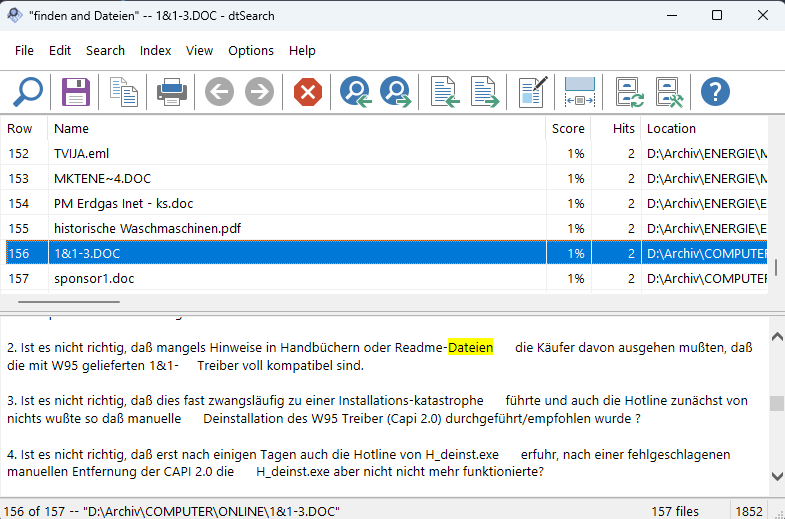
The best result of all programs working with parsers and indexes – but still less than the 172 that Findit finds here. Then we became suspicious: There were no email attachments at all in the DtSearch hits. This enterprise tool should be able to do that! And indeed: Somewhat hidden in the settings, we found the option to treat our emails saved as .eml as "containers" and also search embedded documents within them.
We activated this option and couldn't believe our eyes at first: 185 hits! Even 13 more than Findit!?
DtSearch – With Container Mode
The Solution to the Puzzle - Actually Two:
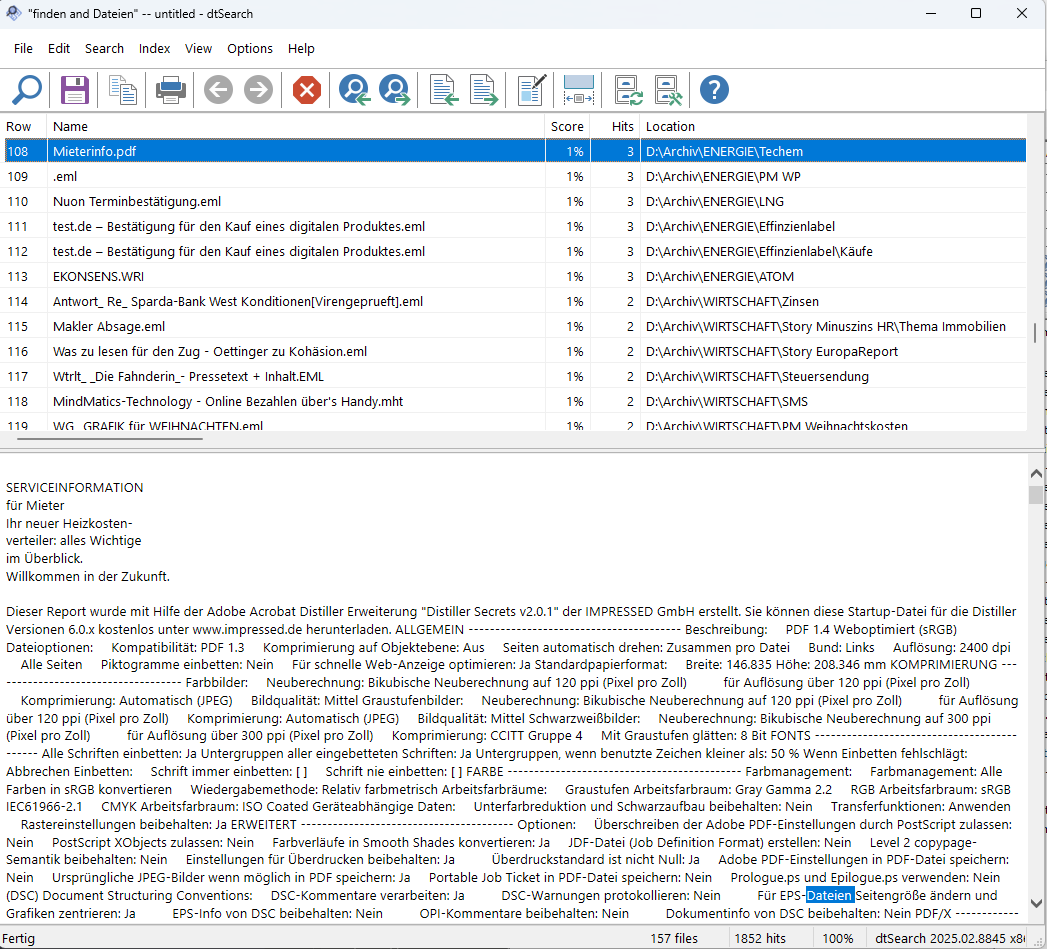 Upon closer inspection, we discovered: Some of the DtSearch hits come from technical PDF metadata – compression settings, color profiles, and other structural data that are not human-readable. This is a fundamental problem of all parser-based systems: The boundary between "real content" and "technical data" is not always clear.
The parsers used by Findit for PDFs don't have this problem – but it could theoretically occur with other formats as well. None of the systems is perfect, but the error sources lie in different places.
Second difference: So that Findit doesn't waste computing time unnecessarily on formats that don't contain meaningful text anyway, it runs by default with a list of file types to search. We turned off the filter and actually searched through all file types.
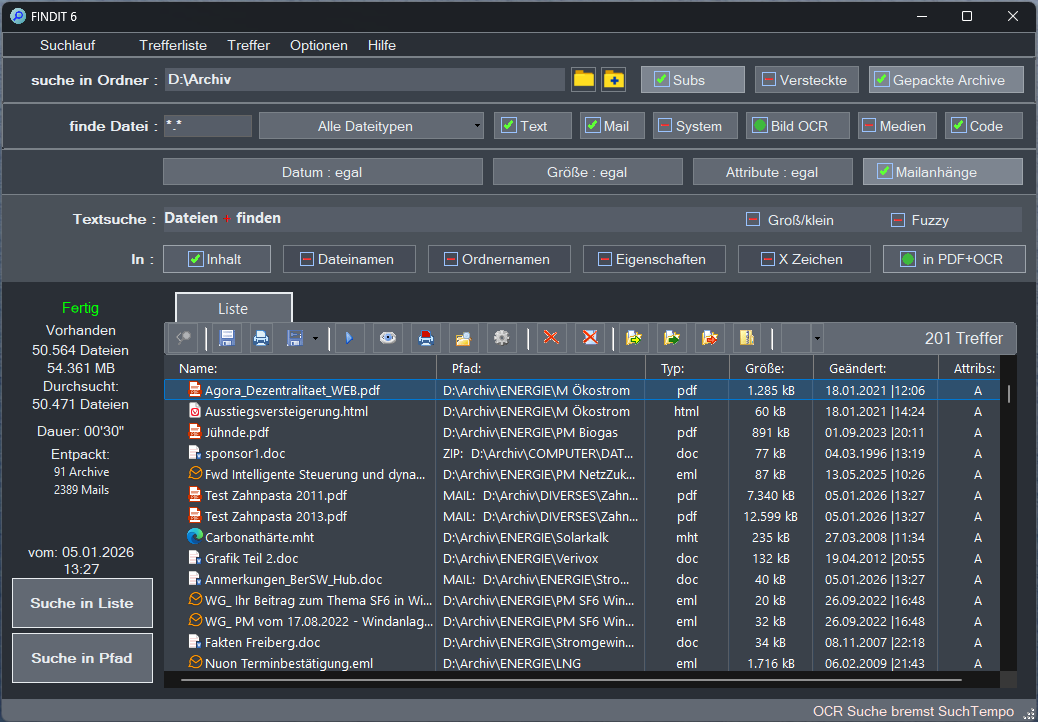
Then a search with all maximum possible options takes a good 30 seconds... And indeed, Findit now shows even 201 hits.
🏆 FINDIT 6 – All File Types
What About OCR?
First assumption: DtSearch doesn't contain an OCR module for analyzing scanned documents and images. However, it then turned out that this function, which is present in Findit, plays no role in the chosen test search for "files" and "find" because there is no scanned document with these terms in our test archive. At the same time, among Findit's 201 hits we found a *.exe, a program that naturally isn't captured in the DtSearch index. So: Both work at a very high level at the maximum of what's possible regarding file search.
DtSearch cannot search scanned PDFs or images. For this, you need external OCR software like Adobe Acrobat to convert the documents first. Findit, on the other hand, has OCR directly integrated and finds text even in scanned documents – without additional software.
Conclusion on DtSearch
The First Equal Competitor
DtSearch is the first truly equal competing product. It even offers the ability to find words of "similar" meaning with a thesaurus (for searched "house" also "building"). So: Really good work!
However:
- DtSearch requires a somewhat more complex index to maintain
- In the end, doesn't find quite as much as Findit (182 vs. 201 hits)
- Only available with English interface
- Costs at least six times more than Findit 6 ($199 vs. $39)
- No built-in OCR for scanned documents
Who is DtSearch for? Large enterprises that benefit from an index with very frequent regular search queries, and anyone willing to pay the significantly higher price for enterprise features and thesaurus functions.
Who is Findit for? Individual users, small to medium teams, and anyone who wants to achieve more hits without index maintenance, with a German interface, and at a fraction of the price – immediately, without waiting time.
| Criterion | DtSearch | Findit 6 |
|---|---|---|
| Hits | 182 | 201 |
| Preparation | 15 min. index | None |
| Search time | <1 sec. (with index) | 30 sec. (without index) |
| Price | $199+ | $39 |
| OCR | No (external required) | Yes (integrated) |
| Interface | English only | German + 4 languages |
| Thesaurus | Yes | No (Fuzzy instead) |
| Email attachments | Yes (after configuration) | Yes (automatic) |
| Archives (ZIP, RAR) | Yes | Yes (nested too) |